
In the world of corporate branding, the importance of a professional headshot cannot be overstated. Whether for LinkedIn profiles, company websites, or marketing materials, a well-crafted headshot reflects the team’s professionalism and the company's brand ethos — and nothing enhances a headshot like natural lighting.
Why Natural Lighting?
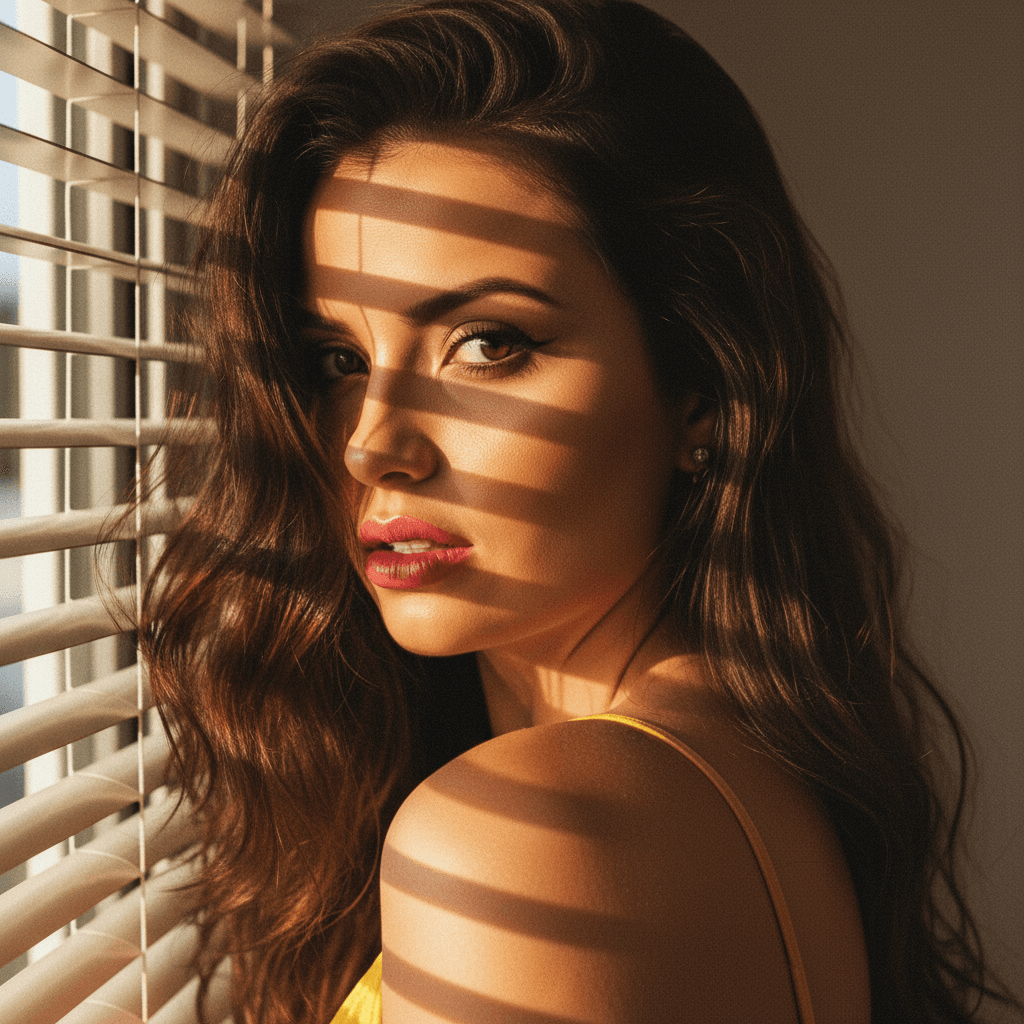
Natural light tends to be more flattering than artificial lighting due to its softness and the way it enhances skin tones. Unlike harsh fluorescent lights that can cause unwanted shadows, natural light provides a softer, more even distribution of light across the subject's face, accentuating features more gently.
Benefits of Natural Lighting
- Soft Shadows: Natural light creates softer shadows around the face, reducing the appearance of blemishes and imperfections.
- Enhanced Natural Colors: It brings out organic skin tones that artificial light tends to alter.
- Dynamic Range: The broad spectrum of natural light ensures high contrast and dynamic range in photos.
- Mood Enhancement: Sunlit environments can make subjects feel more comfortable and relaxed, which translates into more genuine expressions.
Optimizing Team Headshots Using Natural Light
Investing time to get the right lighting can set your corporate headshots apart. Here are some tips to perfect your natural lighting setup:
1. Selection of the Right Time of Day
The time of day significantly impacts the quality of natural light. Aim for the 'golden hours' — shortly after sunrise or before sunset. During these times, the sun is lower in the sky, providing an even, indirect glow that is perfect for headshots.
2. Location, Location, Location
Choose a location that allows free entry of natural light without direct sunlight blinding or creating harsh highlights. A spot next to a large window facing away from direct sun exposure typically works well.
3. Background & Environment
Your environment should be as neutral and non-distracting as possible. Neutral backdrops help keep the focus on the subject's face. Consider office settings with plain walls, or, for a touch of creativity, a naturally lush garden.
4. Weather Considerations
Overcast conditions might sound less ideal, but they actually provide soft diffused light similar to what a high-end studio setup produces.
Leveraging Technology for Consistent Quality
While natural lighting achieves beautiful, professional-looking headshots, capturing the perfect shot consistently can be challenging. This is where technology like HeadshotUp becomes invaluable.
Why Choose HeadshotUp?
- Consistency Across Teams: Regardless of the time or location a photo is taken, HeadshotUp standardizes the look, maintaining consistent quality across all headshots.
- Selfie to Headshot Transformation: Employees can take selfies with their own devices whenever they’re comfortable, and HeadshotUp will craft these into polished corporate headshots using AI.
- Brand Alignment: Customize enhancements to align with your branding requirements, ensuring a cohesive visual identity across team headshots.
Actionable Steps
- Align with Branding Goals: Before starting any headshot session, be clear on how the images should reflect the corporate identity.
- Utilize SaaS Solutions: Incorporate HeadshotUp to tackle the complexities of standardizing and perfecting every team member's headshot.
Conclusion
Incorporating natural lighting into your corporate headshot strategy can significantly elevate the quality of your team's images. Combined with innovations like HeadshotUp, you ensure not only beauty and consistency but also maintain a professional edge in today's competitive market. Investing in the right lighting and standardizing your team’s headshots will pay dividends in boosting both individual and company visual appeal.
Ready to upgrade your professional image?
Join thousands of professionals using HeadshotUp.
Get Started for Free