Crafting the perfect professional image for LinkedIn involves more than just an engaging summary; it often starts with the first thing people notice—your profile picture. While it might be tempting to snap a quick selfie with artificial lighting, nothing beats the subtle elegance of natural lighting for a standout LinkedIn photo.
Why Natural Lighting Works Best
When it comes to professional photography, natural lighting often trumps artificial sources due to its ability to highlight features authentically and naturally. Here's why natural lighting is the optimal choice for your LinkedIn profile picture:
- Softens features: Natural light creates softer shadows and highlights, which can be more flattering to your facial features, smoothing out imperfections and creating a more approachable image.
- Enhances skin tones: Colors appear more realistic under natural conditions, which helps in maintaining the true skin tones.
- Cost-effective: There’s no need for fancy equipment or lighting kits. All you need is timing and the right location.
Choosing the Right Environment
Natural light is best utilized in various conditions and settings, but to get the best out of it, consider these strategies:
- Golden Hour Magic: Aim for the golden hours—early morning and late afternoon—when the sun is low, and its light is diffused, casting a warm, soft glow that adds a professional polish to your photo.
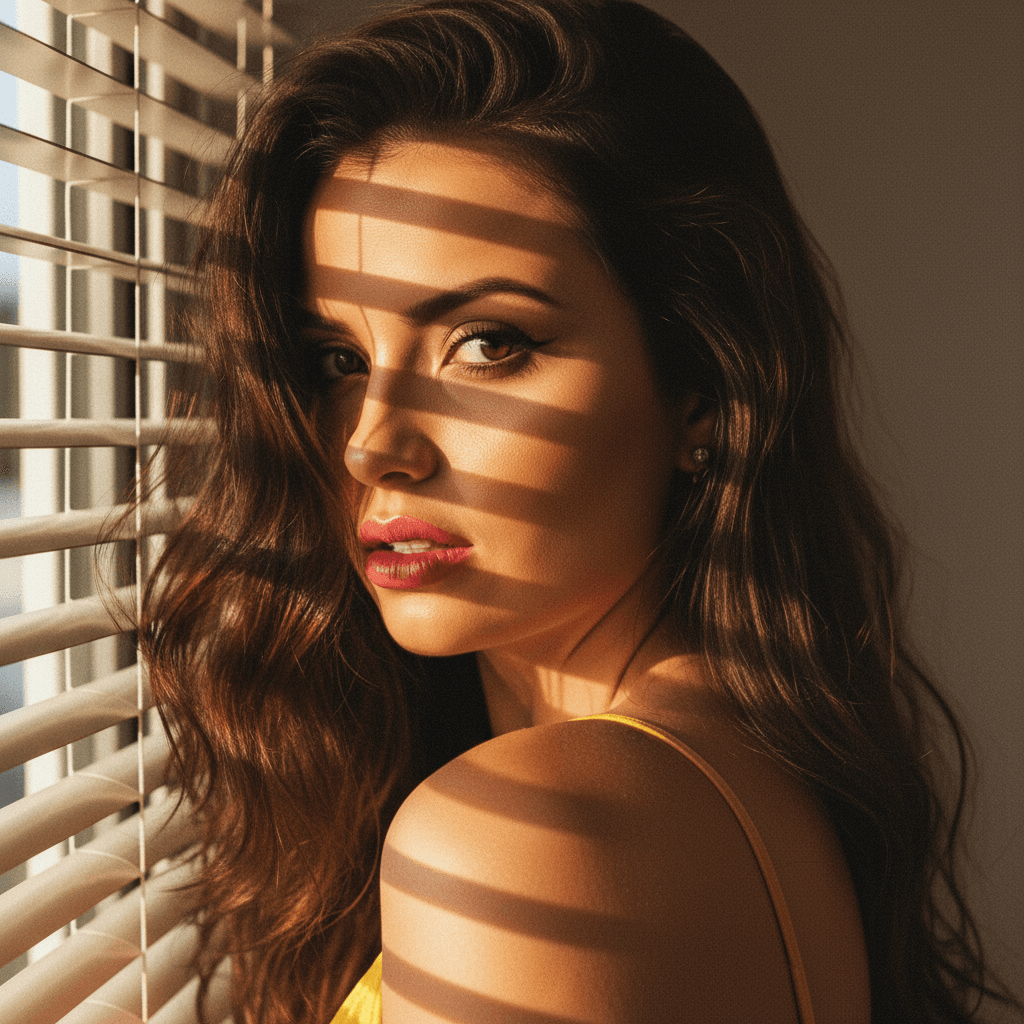
- Window Light Effect: If indoor setup is required, position yourself near a window. Window light can mimic outdoor natural lighting, providing a consistent source of soft illumination.
- Avoid Direct Sun: Direct sunlight can create harsh and unflattering shadows on your face. Instead, opt for shaded locations where the light is diffused.
Tips for Capturing the Perfect Shot
After selecting the optimal lighting conditions and setting, it's time to snap that perfect shot. Here are effective steps to ensure your photo communicates the right professional message:
Angle and Composition
- Face the Light: Position your face towards the light source to avoid unwanted shadows across your face.
- Use the Rule of Thirds: Imagine your image is divided into nine equal segments by two vertical and two horizontal lines. Position key elements along these lines to create a balanced image.
Capture Quality and Authenticity
- Look for Authentic Expressions: A natural smile goes a long way in making you appear approachable and professional.
- Clothing and Background: Choose a simple background and wear solid colors that complement your complexion without being distracting.
Perfecting Your Selfie with HeadshotUp
If you’ve taken a selfie in natural light but are uncertain about achieving a professional grade, this is where HeadshotUp comes into play. This innovative SaaS transforms casual selfies into professional-grade headshots:
- Accurate adjustments: HeadshotUp refines lighting and composition, ensuring shadows and highlights are optimized.
- Consistent quality: Achieve studio-quality results from home by leveraging advanced editing tools intuitive enough for novice users.
- Ease of use: Simply upload your selfie, and let the software calibrate and enhance your image to suit LinkedIn standards.
Conclusion
LinkedIn profile pictures can significantly influence the way you're perceived in the professional world. By leveraging natural light, selecting the right setting, and utilizing excellent tools such as HeadshotUp, you can ensure your profile picture exudes professionalism and approachability. With these steps in hand, your LinkedIn profile is set to make a lasting impression, opening doors to greater networking opportunities. Remember, a quality headshot isn't just about optics; it's about the image of confidence and competence you project to your network.
Ready to upgrade your professional image?
Join thousands of professionals using HeadshotUp.
Get Started for Free